Skip to content

AI Agents / Integrations

How AI Agents Work With CRM, Calendars and Business Tools

Why connected AI agent integrations matter more than isolated chat responses

/ 9 min read

There is a big difference between an AI that tells someone how to book a meeting and an AI that can actually check availability and create the meeting.

That difference usually comes down to integrations. The useful part is not just the model. It is the system around the model and the tools it can safely use.

In practice, business AI becomes more valuable when it can work with the software a team already depends on, such as CRM records, calendars, email, forms, databases, and internal APIs.
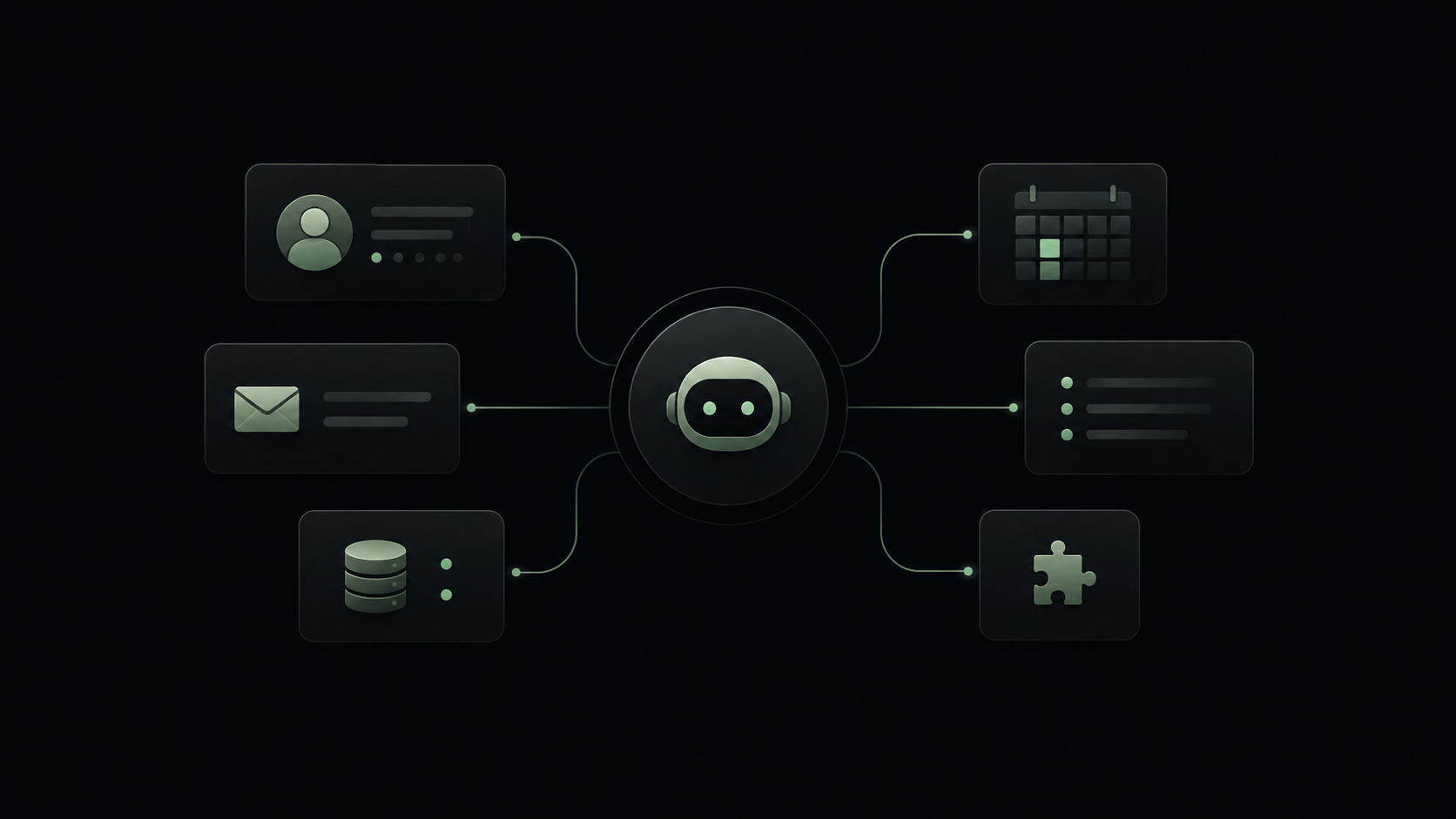
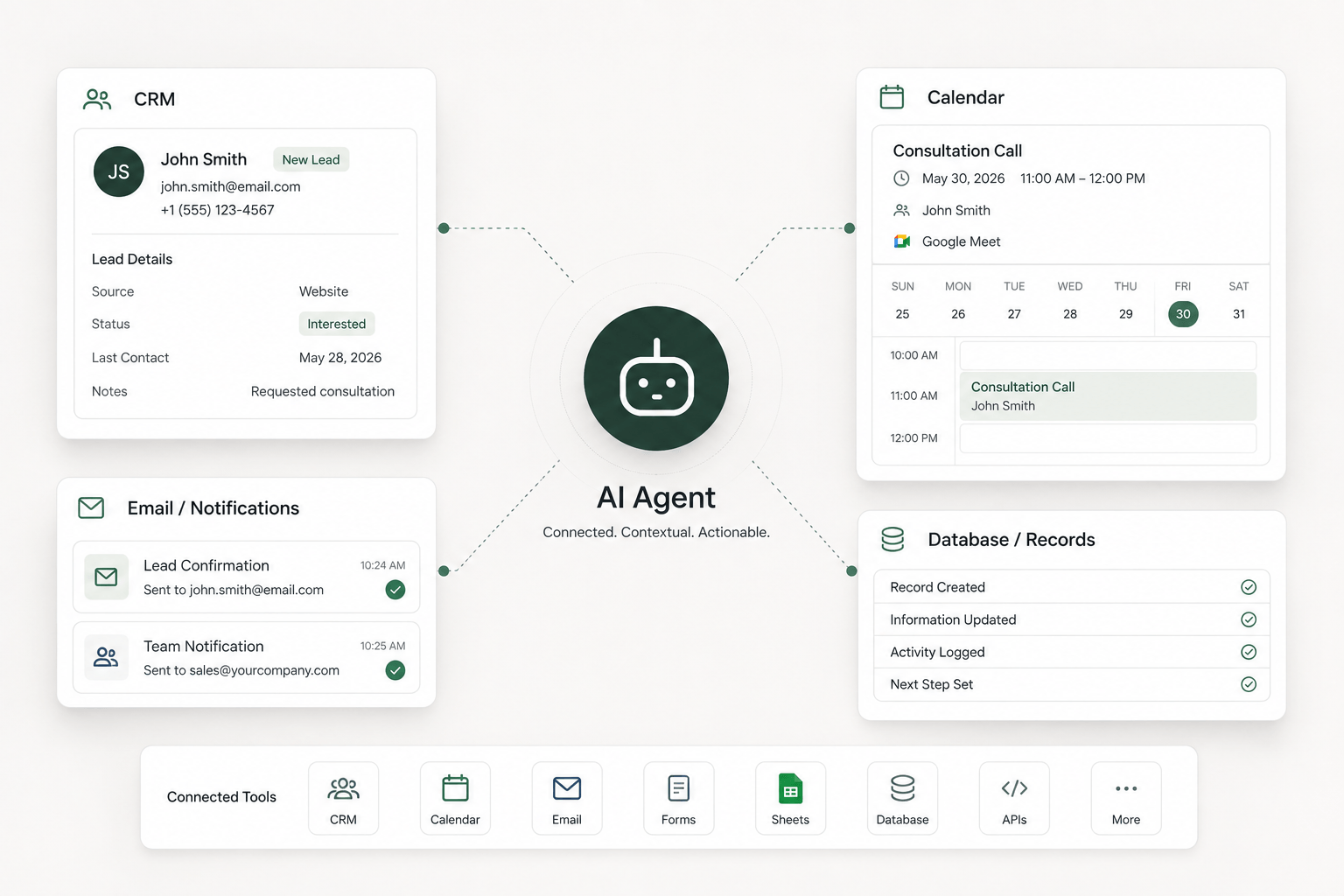
AI agent connected to CRM, calendar, email and business systems

What Does It Mean for an AI Agent to Use a Tool?

An AI model on its own mainly receives input and produces output. It can read a message, interpret it, and generate a response. That is useful, but it is still limited if the conversation cannot connect to the rest of the workflow.

A connected agent is different. It can be given controlled access to tools such as a CRM, calendar, email system, forms, spreadsheets, databases, internal software, APIs, or company knowledge.

That does not mean the agent magically knows everything in those systems. The connections have to be intentionally configured, and the allowed actions have to be defined in advance. Good AI agent integrations are built around permissions, data structure, and clear workflow logic, not assumptions.

CRM Integration Turns Conversations Into Useful Business Data

One of the most practical forms of CRM automation is turning a conversation into clean business context instead of leaving it trapped inside a chat window.

With an AI agent CRM integration, the workflow can search for an existing contact, determine whether a lead already exists, create a new lead when needed, update contact details, store a conversation summary, change lead status, or record the next step for the team.

Imagine a visitor asking about a service on your site. A basic chatbot may answer the question and stop there. A connected system can identify whether the person is already known, attach the conversation to the correct record, save the relevant intent, and route it for follow-up. That is far more useful than a standalone transcript.

The quality of the implementation matters here. Good systems avoid creating duplicate records every time someone asks a follow-up question. They look for the right match, update the right place, and keep the CRM cleaner rather than messier.

Calendar Integration Lets the Agent Move From Talking to Scheduling

There is also a clear difference between saying, “Here is our booking link,” and saying, “I checked availability. These times are open.”

Calendar automation becomes useful when the workflow checks real availability before offering anything. A safe pattern is straightforward: the user asks for a meeting, the agent understands the preferred date or time window, the system checks the calendar, available options are returned, the user confirms a slot, the appointment is created, and a confirmation is sent.

The important part is the confirmation step. Not every system should book automatically, and not every request should be treated as final. Reliable scheduling flows use the calendar as a source of truth instead of inventing times and hoping someone fixes it later.

Email and Notifications Handle the Handoff

Not every task needs to stay inside the conversation itself. In many workflows, the real value comes from what happens after the message.

A connected agent might send an appointment confirmation, notify a salesperson about a qualified lead, deliver a short internal summary, alert operations when human attention is required, or send structured follow-up after a form submission.

The goal is not to create noise. Good business tool automation sends notifications when they help someone act faster or with better context. If every interaction creates three emails and two alerts, the workflow is not helping very much.

One Connected Workflow Is More Useful Than Five Separate Tools

Most businesses already have software. The point is not always to replace the CRM, the calendar, the inbox, the database, or the form system. The agent can act as the coordination layer between them.

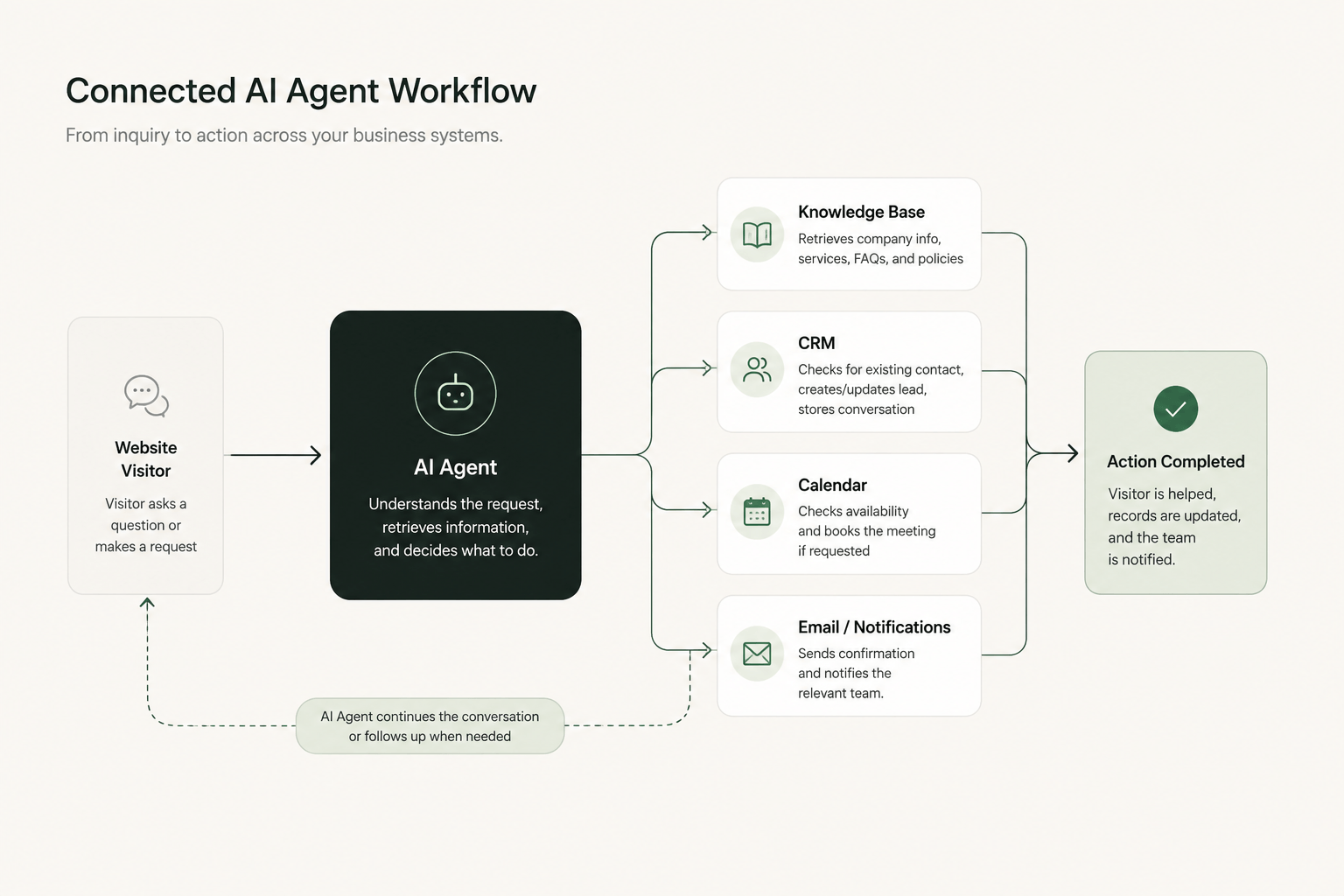
Connected AI agent workflow from website inquiry to CRM, calendar and team notification
A connected agent can coordinate knowledge, CRM, scheduling and notifications inside one workflow.

That is why AI workflow integrations matter. When the pieces are connected, the visitor does not need to repeat themselves across separate steps, and your team does not need to manually move information from one tool to another.

A well-designed system can answer the question, update the CRM, check the calendar, send the confirmation, and notify the right person as part of one flow. That is what makes a connected AI system feel operational rather than decorative.

A Simple Connected AI Agent Workflow

Picture a visitor asking, “Can I book a call to discuss an AI system for our company?” A useful workflow can respond in a much more practical way than a generic chat response.

  1. 01The agent recognizes that the visitor is asking both about services and about booking time.
  2. 02It pulls the approved service information from the company knowledge source so the answer stays accurate.
  3. 03It checks whether the person already exists in the CRM and avoids creating a duplicate record.
  4. 04It checks real calendar availability before suggesting times.
  5. 05After the visitor confirms a slot, it creates the appointment and stores the context.
  6. 06It sends the right internal notification so the team can see what happened without re-reading the entire conversation.

This is the shift from a basic chatbot to a business workflow. The model still matters, but the usefulness comes from context, permissions, and actions across the connected systems.

Knowledge Systems and Operational Systems Are Different

A lot of confusion around AI automation comes from mixing up knowledge access with operational access.

A knowledge source helps answer questions like what services you offer, how your process works, or what information is available about a product. It is mainly about retrieving accurate information.

An operational system answers or performs things like whether the contact already exists in the CRM, what their current status is, whether Tuesday at 11:00 is available, or whether the appointment has actually been created.

One side is mostly about information retrieval. The other side involves real records, state changes, and actions. Strong connected AI systems are designed with that distinction in mind.

APIs Are Usually the Bridge Between Systems

An API is simply a structured way for one application to communicate with another. In business terms, it is often the bridge that allows one workflow to ask another system for data or tell it to perform an action.

That might mean a CRM returning contact details, a calendar returning open slots, an email platform sending a confirmation, or an internal app returning order status. Many modern AI agents with APIs are valuable not because the model is unusually clever, but because the workflow can reliably move through the right systems.

That is also why the quality of the integration work matters so much. In real projects, the gap between a demo and a dependable workflow usually sits in the API layer, the permissions, and the business logic around them.

Permissions and Guardrails Matter

Not every action should be treated the same. Reading calendar availability may be low risk. Deleting a customer record is something else entirely.

Good implementations define what the agent is allowed to read, what it is allowed to create, what it can update, which actions need confirmation, and when a human should take over. That balance is part of what makes connected AI systems credible in real operations.

Without guardrails, business tool connections create unnecessary risk. With guardrails, they create useful automation.

What Should a Business Connect First?

The best starting point is usually one workflow that is repetitive, clearly defined, common enough to matter, and structured enough to support predictable inputs and outputs.

  • website inquiry to CRM
  • lead qualification to team handoff
  • inquiry to calendar booking
  • form submission to database to notification
  • conversation summary to CRM update

Do not try to connect every tool on day one. Start with one useful workflow, prove that it helps, then expand from there.

What This Looks Like in Practice

When these pieces are connected well, the agent becomes the layer that ties together CRM records, calendar availability, email, databases, and the APIs behind them.

AI agent integrating CRM data with calendar booking and business tools

Where Izenth AI Fits

Izenth AI focuses on practical systems built around real business workflows. That includes custom AI agents, workflow automation, connected operations, knowledge systems, CRM and business-tool integrations, and the API work required to make those systems function reliably.

The useful starting point is usually not “Where can we add AI?” It is “Which process still forces the team to move information manually between systems?” That is where the design work becomes practical.

The most useful AI agent is rarely the one with the longest prompt or the most impressive demo. It is the one that has access to the right context, connects to the right tools, and knows when to take action.

If you are looking at workflows involving leads, scheduling, CRM updates, or repetitive handoffs, explore our Practical Demos, review our AI Services, or talk with us about how those systems could connect. If you are comparing scope first, the pricing page gives a clearer picture of how projects are framed.